AI Tools for Beginners (2026 Artificial Intelligence (AI) is no longer limited to developers or large tech companies. Today, beginners, students, freelancers, small business owners, and content creators can easily use AI tools to improve productivity, creativity, and efficiency.
Whether you want to write articles, design graphics, create videos, automate tasks, or analyze information, there are beginner-friendly AI tools that make the process simple and accessible.
In this complete guide, you will discover the top AI tools for beginners, understand how they work, and learn how they can help you grow personally or professionally in 2026 and beyond.
Why Beginners Should Start Using AI Tools
AI tools help save time, reduce effort, and improve work quality. Many beginners hesitate because they believe AI tools require technical knowledge, but most modern platforms are built for non-technical users.
Benefits of AI Tools for Beginners
- Save hours of manual work
- Improve content quality
- Generate ideas quickly
- Automate repetitive tasks
- Create professional designs and videos
- Learn faster with AI assistance
AI is not replacing people; it is helping people work smarter.
1. ChatGPT — Your AI Writing and Learning Assistant
Overview
ChatGPT is one of the most popular AI tools used for writing, learning, brainstorming, and problem-solving. It works like a conversation partner that can help you generate ideas or content instantly.
Why Beginners Love ChatGPT
- Very easy to use
- Works through simple chat prompts
- Provides instant answers
- Supports many use cases
Key Features
- Blog writing and article creation
- Social media captions and scripts
- Content rewriting and summarizing
- Homework and study assistance
- Coding help and explanations
- Email and message drafting
How Beginners Can Use It
- Bloggers can generate outlines and drafts.
- Students can get simplified explanations.
- Professionals can write emails and reports faster.
- Freelancers can generate client proposals.
Best Practice Tips
- Give clear instructions for better results.
- Always review and edit the output.
- Add personal experience to make content unique.
ChatGPT is often the best starting point for anyone new to AI tools.
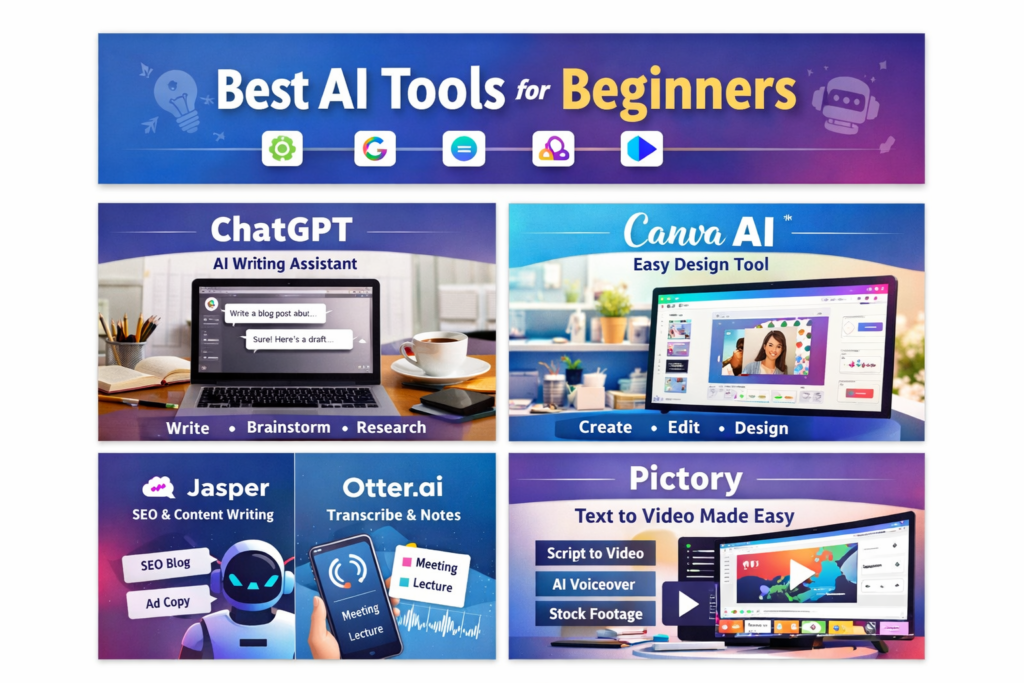
2. Canva AI — Design Professional Graphics Easily
Overview
Canva AI combines artificial intelligence with an easy design platform, allowing beginners to create professional graphics without design skills.
Why Canva AI Is Perfect for Beginners
- Drag-and-drop simplicity
- Thousands of ready templates
- AI-assisted designs
- No technical knowledge required
Key Features
- Magic Design suggestions
- Text-to-image generator
- Social media post templates
- Logo and presentation creation
- Brand kit management
- Content scheduling
Use Cases
- Business owners creating advertisements
- Students designing presentations
- Content creators making thumbnails and reels
- Freelancers creating marketing materials
Beginner Tips
- Start with templates and customize colors.
- Keep designs simple and clean.
- Use consistent fonts and branding.
With Canva AI, beginners can produce high-quality visuals in minutes.
3. Jasper — AI Writing for Marketing and SEO
Overview
Jasper is an AI content tool built mainly for marketers and bloggers who want SEO-friendly and conversion-focused content.
Why Beginners Should Use Jasper
- Built-in marketing templates
- SEO-focused writing support
- Easy tone and style customization
Key Features
- Blog and ad copy templates
- Product descriptions
- SEO content generation
- Email marketing content
- Collaboration tools
- Plagiarism checking
Use Cases
- Writing blog posts
- Creating product descriptions
- Writing marketing emails
- Generating social media ads
Tips for Better Results
- Provide clear instructions.
- Include target keywords.
- Edit content to match your brand voice.
Jasper is ideal for beginners who want to focus on digital marketing or blogging.
4. Otter.ai — Automatic Transcription and Notes
Overview
Otter.ai converts spoken audio into written text automatically. It is extremely useful for students, teams, and professionals who attend meetings or lectures.
Why Beginners Benefit from Otter.ai
- Automatic speech-to-text conversion
- Real-time note capture
- Speaker identification
- Searchable transcripts
Key Features
- Live transcription
- Meeting integrations with Zoom and Google Meet
- Exportable notes
- Keyword search
Use Cases
- Students recording lectures
- Podcasters generating transcripts
- Teams storing meeting notes
- Interview transcription
Beginner Tips
- Use it for short recordings initially.
- Review transcripts for corrections.
- Highlight important points for quick revision.
Otter.ai helps beginners save time and avoid missing important information.
5. Pictory — Turn Text into Videos Quickly
Overview
Pictory allows users to convert scripts, blogs, or articles into videos automatically, making video creation simple for beginners.
Why Beginners Choose Pictory
- No editing skills required
- Automatic video generation
- AI voiceovers and captions
- Custom branding options
Key Features
- Script-to-video conversion
- Automatic captions
- Stock footage library
- Video resizing for social platforms
Use Cases
- Converting blog posts into videos
- Creating YouTube or social media content
- Making tutorial videos
- Marketing promotions
Beginner Tips
- Use short and clear scripts.
- Customize visuals for branding.
- Add subtitles for better engagement.
Pictory helps beginners enter video marketing easily.
How to Choose the Right AI Tool
Selecting an AI tool depends on your goal. Here is a quick guide:
| Goal | Recommended Tool |
|---|---|
| Writing blogs & scripts | ChatGPT or Jasper |
| Graphic design | Canva AI |
| Audio transcription | Otter.ai |
| Video creation | Pictory |
Pro Tip
Start with one tool, learn it well for a few weeks, then explore others.
Steps Beginners Should Follow to Succeed with AI
1. Set a Clear Goal
Examples:
- Write weekly blog posts.
- Create social media content faster.
- Produce marketing videos.
2. Choose One Tool
Avoid learning many tools at once.
3. Learn Using Tutorials
Use YouTube or official documentation.
4. Practice on Real Projects
Learning becomes faster with real work.
5. Track Your Progress
Measure improvements in productivity or engagement.
Consistency is more important than perfection.
Smart Tips for Using AI Tools Effectively
Keep Prompts Clear
The more specific your request, the better the output.
Combine Tools
Example workflow:
ChatGPT → Canva → Pictory.
Always Review Output
AI tools are helpful but not perfect.
Use Tools Regularly
Small daily use leads to big improvements.
AI Tool Comparison Table
| Tool | Free Version | Main Use | Best For |
|---|---|---|---|
| ChatGPT | Yes | Writing & ideas | Bloggers & students |
| Canva AI | Yes | Graphic design | Creators & businesses |
| Jasper | Trial | Marketing content | Marketers |
| Otter.ai | Yes | Transcription | Students & teams |
| Pictory | Yes | Video creation | Creators & marketers |
Common Mistakes Beginners Should Avoid
- Relying completely on AI without editing.
- Using too many tools at once.
- Ignoring originality and creativity.
- Publishing content without fact-checking.
AI should assist your work, not replace your thinking.
Future of AI for Beginners
AI tools are becoming smarter, faster, and easier to use. In the coming years, beginners will use AI in everyday tasks like:
- Personal learning
- Business automation
- Content creation
- Online marketing
- Customer communication
Learning AI tools today prepares you for future opportunities.
Start Using AI Today
Follow this simple action plan:
- Choose one tool from this guide.
- Set a small goal.
- Use the tool daily for one week.
- Measure improvement.
- Expand gradually.
Even 10 minutes per day can make a big difference.
Final Thoughts
AI tools are no longer futuristic concepts. They are practical tools that beginners can use today to:
- Write better content
- Design faster visuals
- Automate repetitive tasks
- Create engaging videos
- Improve productivity
Success with AI tools depends on consistent practice and smart usage.
Start small, stay consistent, and watch your skills grow.
Frequently Asked Questions (FAQ)
Do I need technical skills to use AI tools?
No. Most AI tools are designed for beginners and use simple interfaces.
Are these AI tools free?
Many offer free plans or trial versions. Paid plans unlock advanced features.
Will AI replace human jobs?
AI helps humans work faster and smarter, but creativity and decision-making still require people.
Which AI tool should beginners start with?
ChatGPT is usually the best starting point for writing and learning, while Canva is great for design.
How can I learn AI tools quickly?
Practice regularly, watch tutorials, and apply tools to real projects.
I